For recipients and senders Guide
Open a transfer you received
Someone sent you files through Databeamer. Here is how to open them, with or without an account.
You received an email saying someone sent you files through Databeamer. You do not need an account to open them, and nothing is installed.
1. Open the link #
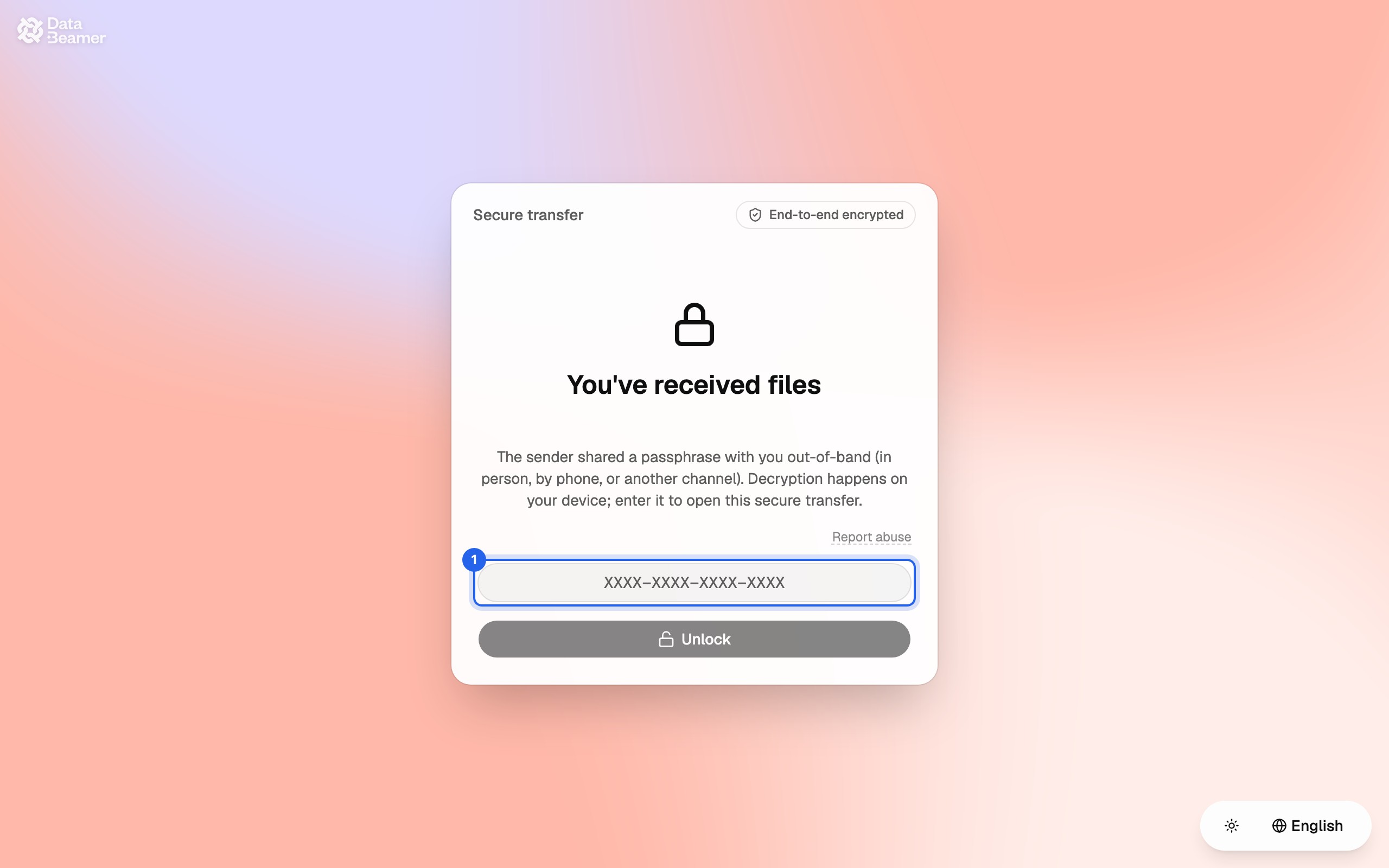
The link in the email takes you to a page called Secure transfer. If the sender's company uses Databeamer, the page carries their branding.
2. Unlock #
The files were encrypted for you before they left the sender's device, so the page is locked until you prove it is you. Which of these you see depends on what the sender chose:
- Passphrase: the sender gives you a passphrase like
XXXX-XXXX-XXXX-XXXXthrough another channel, for example by phone or in a message. Enter it and choose Unlock. If you did not get one, ask the sender; Databeamer does not have it and cannot send it to you. - Code by email: choose Email me a code, open the 6-digit code we send to your inbox, and enter it. Codes expire after 10 minutes; request a new one if needed.
3. Download #
After unlocking you see who sent the transfer, their message and the files under Files shared with you. Choose Download next to a file. It is decrypted in your browser as it downloads.
The page also explains how the transfer was protected. In short: the files were locked on the sender's device and Databeamer's servers never saw the contents.
Security detailsWhat is this?
With a passphrase, your browser derives the key from the passphrase (Argon2id) and opens the envelope locally; the server never holds the passphrase. With a code by email, the key is held in escrow by a key-management service and released to your browser after the code checks out, which means Databeamer can open these files during that access. Files are then decrypted in the browser with ChaCha20-Poly1305 and checked for integrity. The sender's keys are post-quantum hybrids (X25519 + ML-KEM-768, Ed25519 + ML-DSA-65).
If the link does not work #
This transfer is no longer available means the link has expired or the sender withdrew it. Transfers are available for a limited time, usually a few days. Ask the sender to send it again.
Unwanted or suspicious transfers #
Use Report abuse on the page if the transfer is unwanted, misleading or harmful. If you did not expect files from this person, check with them through a channel you already trust before opening anything.
Want your own account? #
Create account on the page sets you up with your own Databeamer account, so you can send files back securely and keep what you received in your own Drive. Start with Create your account.