Account and security Reference
Account settings
Your profile, email and password, notifications, appearance and deleting your account.
Open Settings from the user menu. On your phone it is under You.
Account #
- Avatar, First name, Last name and Username.
- Email address, with a Verified badge once confirmed. Change email sends a verification link to the new address.
- Public profile: let other Databeamer users find you by name or email. Off by default.
If your organisation signs you in through single sign-on, these details are managed by your identity provider and cannot be changed here.
Security #
Change password emails you a link to set a new one. Your password protects the login; your PIN and devices protect your keys. The rest of this tab covers encryption keys (Show public keys), shares, device approvals, devices, the recovery phrase, your PIN and passkey unlock.
Notifications #
For each category, Transfers, Requests, Security, Account and Secure Mail, choose Email, App only or Off. Browser notifications for chat are a separate switch under This browser.
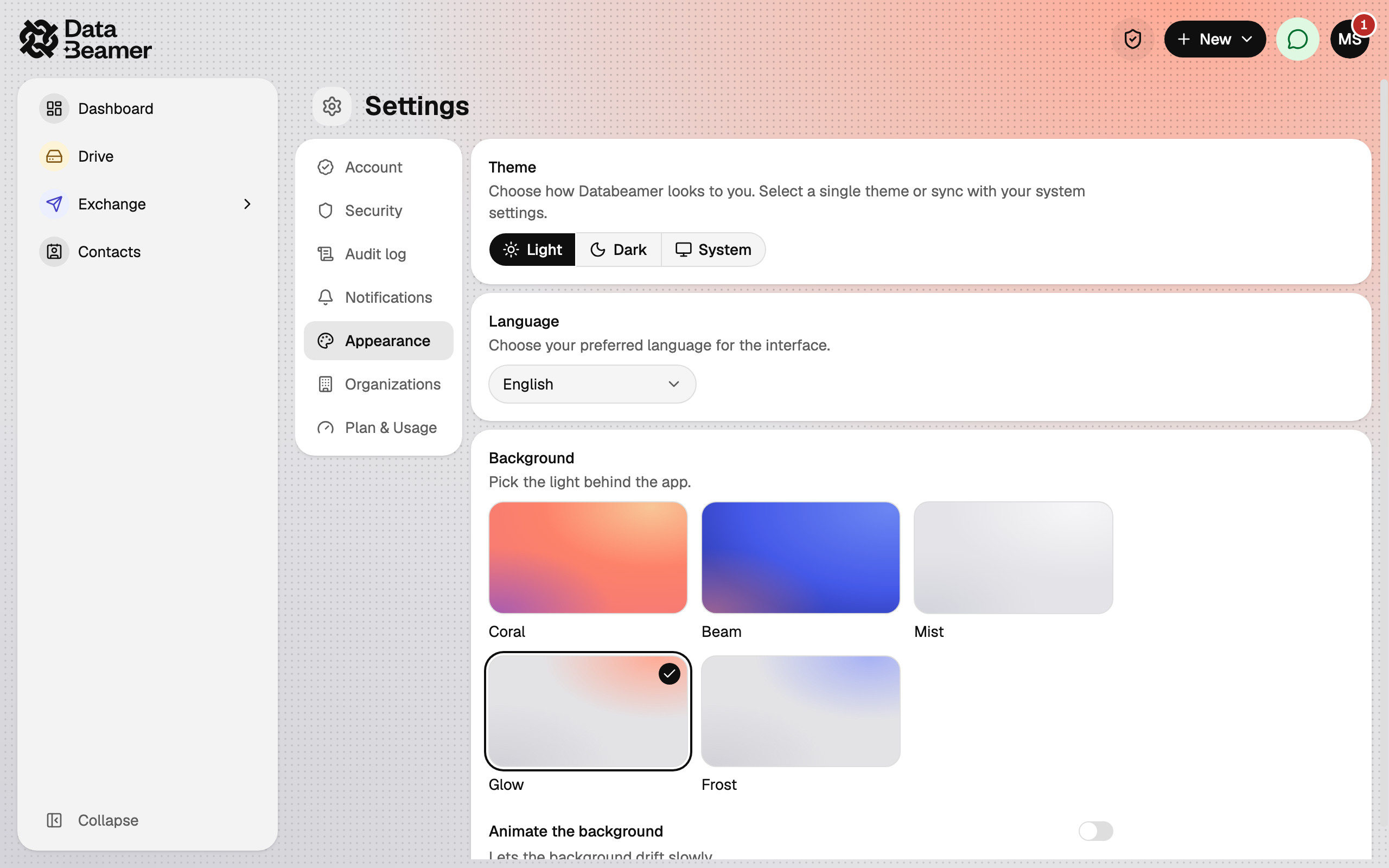
Appearance #
Theme (Light, Dark or System), Language (English or Nederlands), a Background and whether to Animate the background.
Organizations #
Every organisation you belong to, with your role. See Organisations.
Plan & Usage #
Your current plan, how much of each limit you have used, and which features are enabled. See Plans and limits.
Deleting your account #
At the bottom of Account, under Danger zone, Delete account schedules deletion. You have a 30-day grace period during which you can Cancel deletion by signing in. After that, your account and all its data are removed for good.
Deletion is blocked while you are the only owner of an organisation or group. Hand ownership to someone else, or remove the organisation or group, first.